> ## Documentation Index
> Fetch the complete documentation index at: https://differentai-cleanup-ai-gateway-models-replacement.mintlify.site/llms.txt
> Use this file to discover all available pages before exploring further.
# Create a skill from chat
> Turn a useful OpenWork chat into a reusable skill
**Choose where the skill lives.** A local workspace skill is free and requires no OpenWork Cloud sign-in. When you are signed in and ask OpenWork to create a skill “for me,” it creates a private Cloud plugin that only you can access. Owners and admins can publish managed team skills through [Collections](/cloud/share-with-your-team/collections).
Do the work once in chat before you turn it into instructions.
## Turn a useful chat into a personal Cloud skill
1. Finish the task in chat and keep the thread open.
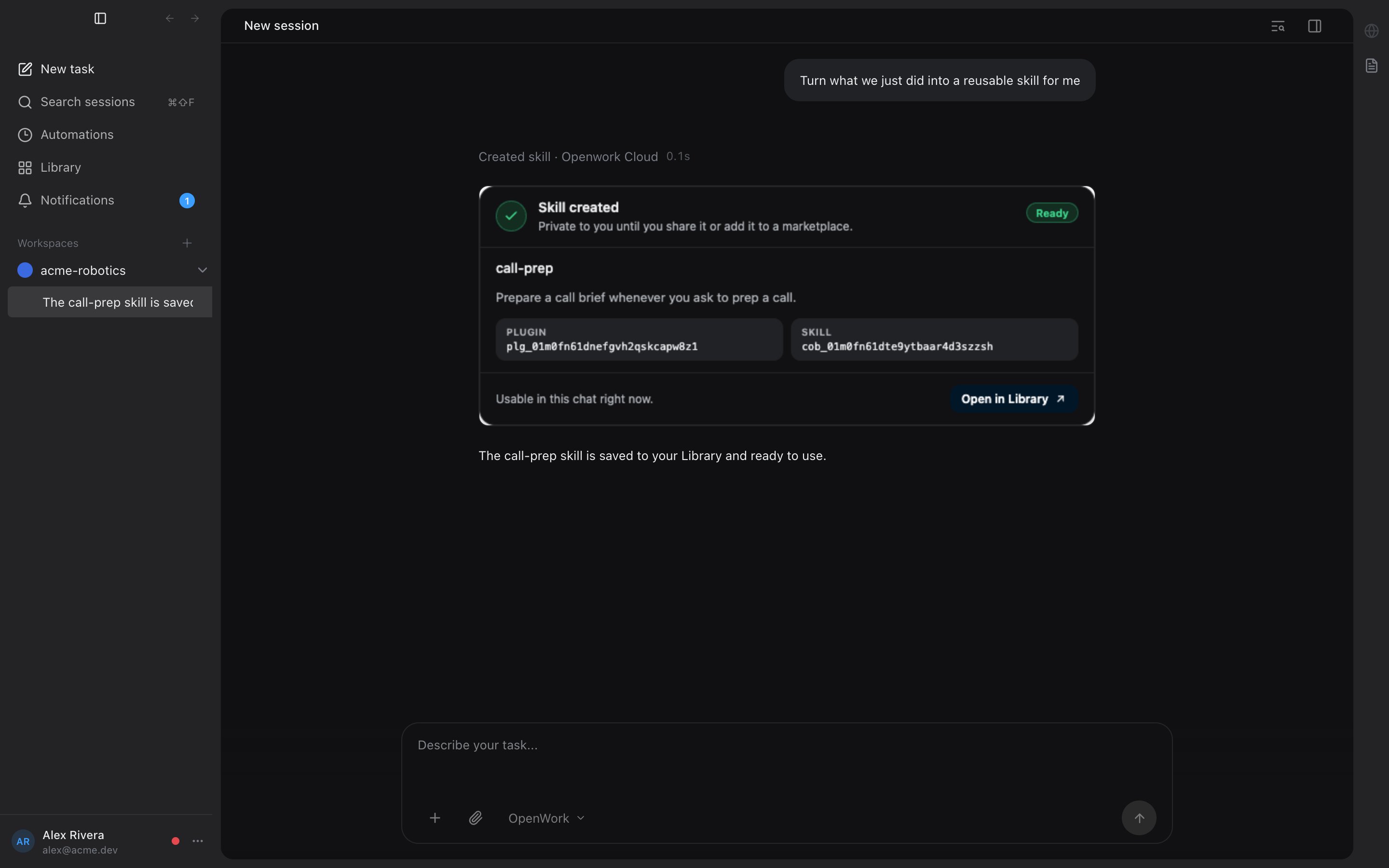
2. Ask in plain English: `Turn what we just did into a reusable skill for me`.
3. OpenWork saves the skill in your OpenWork Cloud organization as a private plugin. You receive access automatically; it is not written into your workspace or shared with anyone else.
4. Give the skill a clear name if OpenWork asks, then let it confirm what it saved. In the desktop app you get a rich confirmation card with the skill name and a link to it in your Library.
5. Use it later by name in chat, or describe the same kind of task and let OpenWork trigger it when it matches.
 ## Other ways to create a skill
Every path creates the same thing: a skill inside a plugin in your OpenWork Cloud organization.
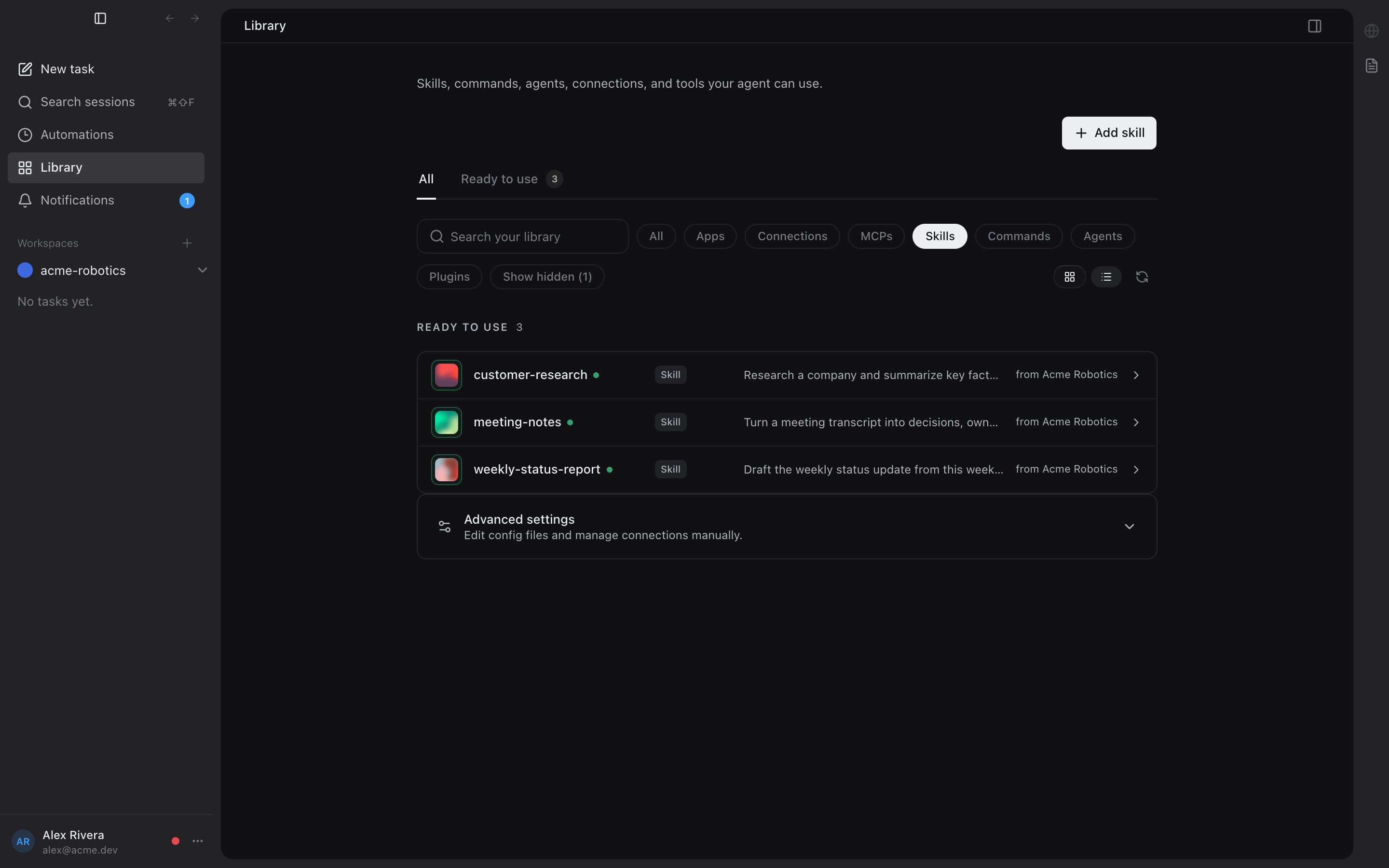
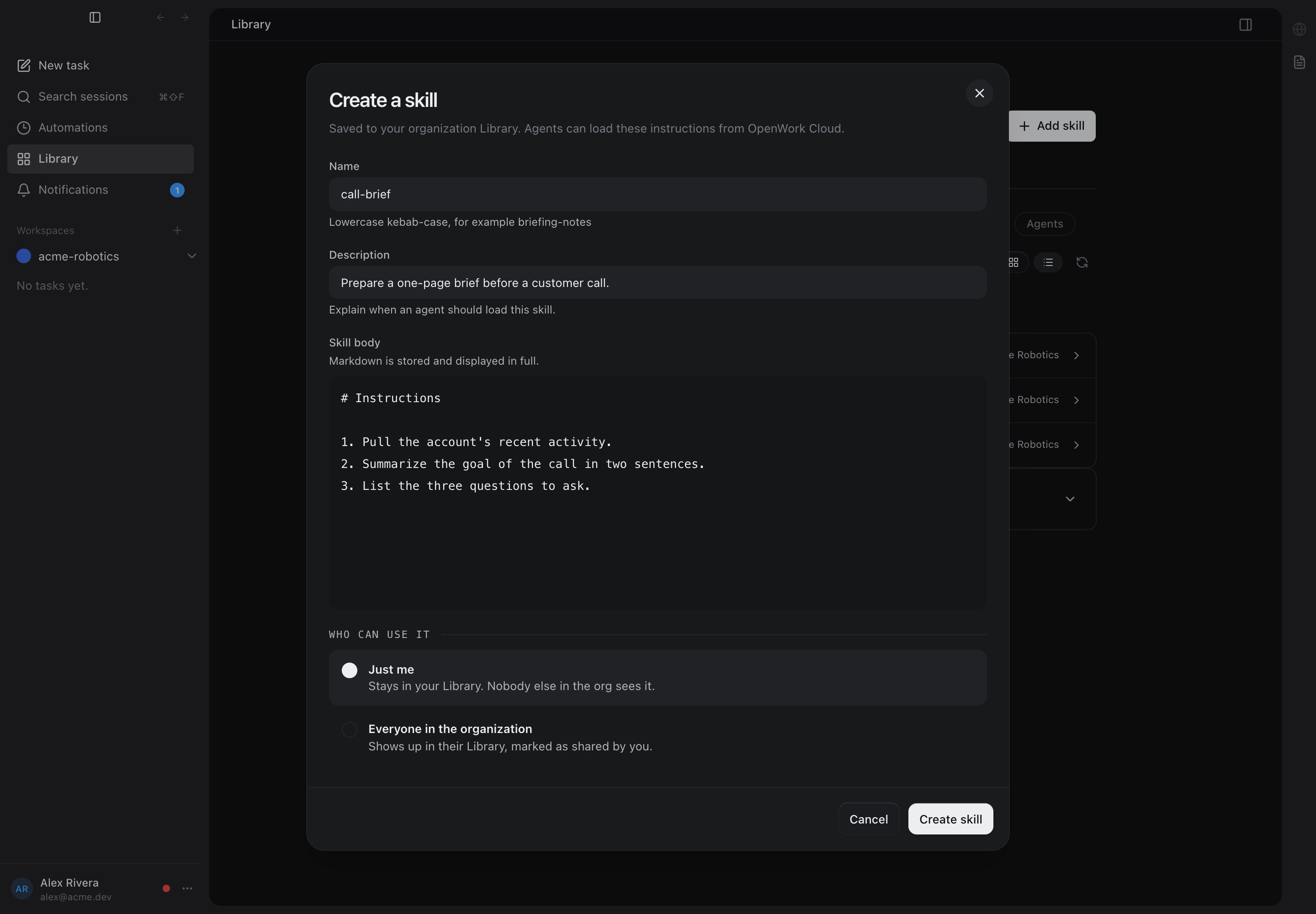
* **Desktop, from the Library**: open `Settings` > `Library`, filter to `Skills`, and click `Add skill`. This requires being signed in to OpenWork Cloud; the skill is created as a private plugin in your organization.
## Other ways to create a skill
Every path creates the same thing: a skill inside a plugin in your OpenWork Cloud organization.
* **Desktop, from the Library**: open `Settings` > `Library`, filter to `Skills`, and click `Add skill`. This requires being signed in to OpenWork Cloud; the skill is created as a private plugin in your organization.
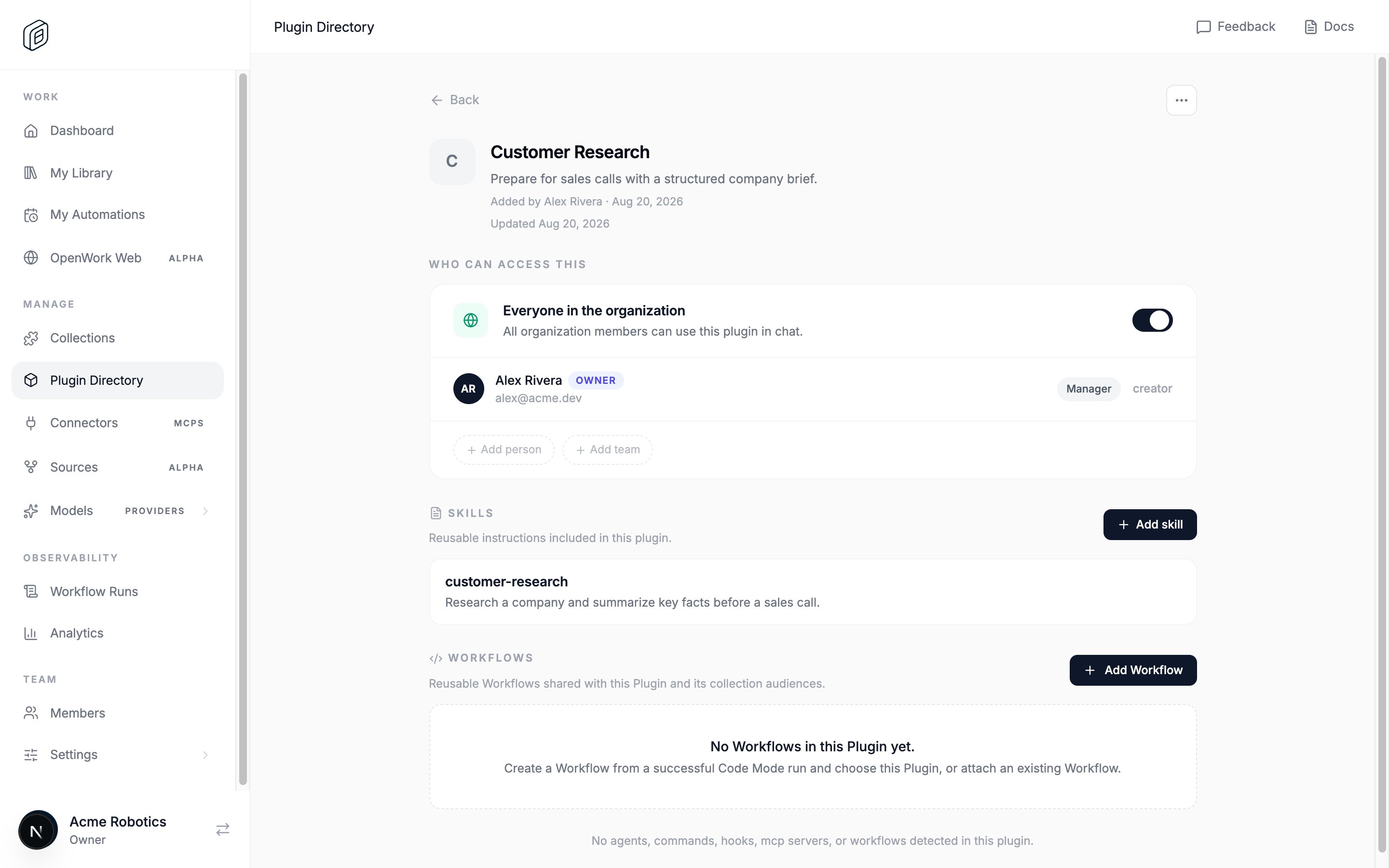
 * **Cloud dashboard**: organization admins create and edit skills inside a plugin from `Plugin Directory` — open a plugin and add a skill to it.
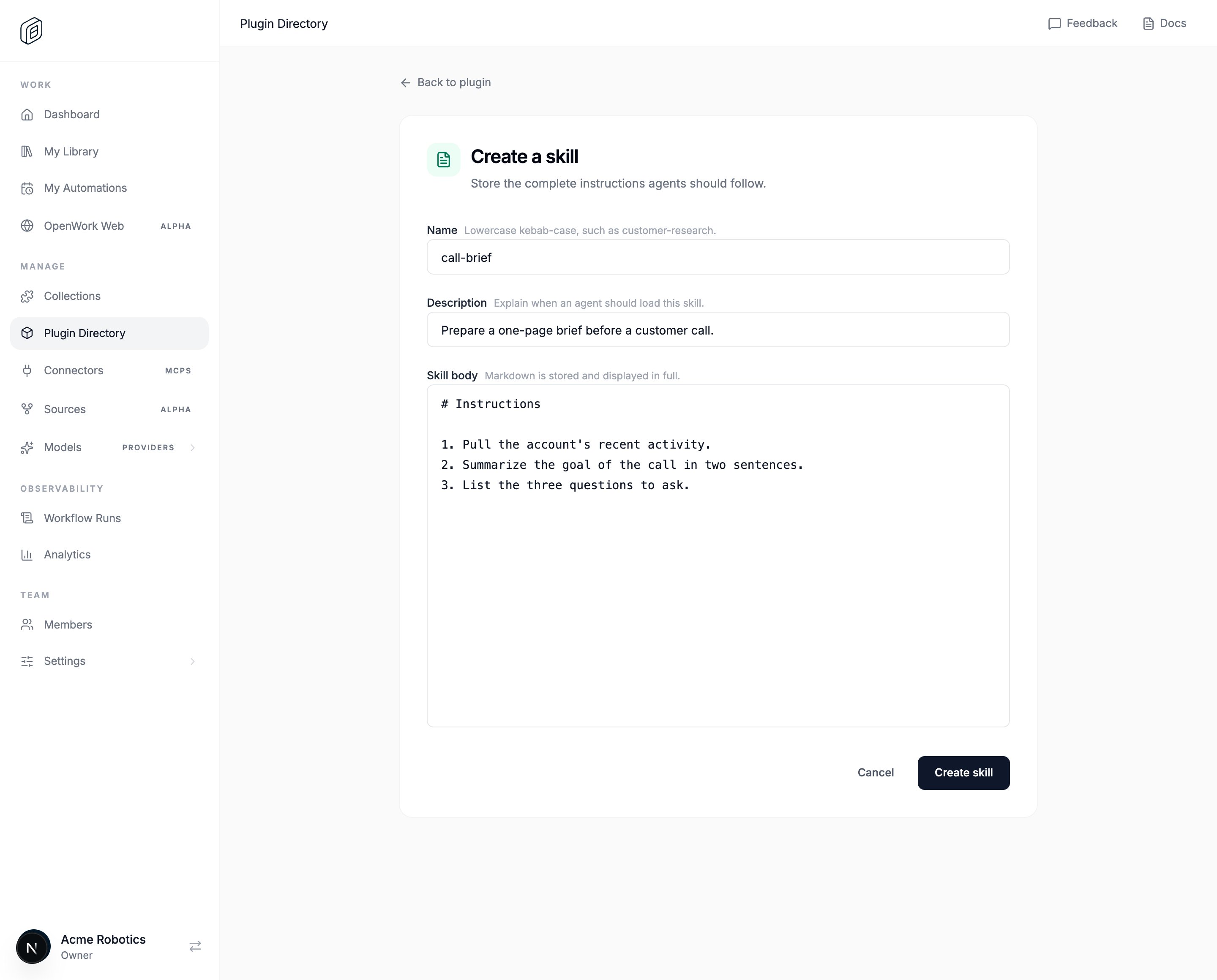 * **From chat**, as described above.
## Change or share it only when you choose
1. To refine it, ask for the change in chat, such as `Make the skill ask before sending email`.
2. To share it with teammates, add its plugin to a Collection and grant that Collection by following [Publish and copy a skill](/start-here/do-work-with-it/publish-and-copy-a-skill).
Creating the skill does not publish it. Sharing is a separate step you choose.
## Keep a skill local to one workspace
A local skill is a `SKILL.md` file inside your workspace (for example `.opencode/skills//SKILL.md`). If you explicitly ask for a local skill in chat, OpenWork creates only that file and does not make a Cloud copy. Local skills need no Cloud account and remain available in `Settings > Library`, but OpenWork Cloud cannot assign or update them for your team.
* **From chat**, as described above.
## Change or share it only when you choose
1. To refine it, ask for the change in chat, such as `Make the skill ask before sending email`.
2. To share it with teammates, add its plugin to a Collection and grant that Collection by following [Publish and copy a skill](/start-here/do-work-with-it/publish-and-copy-a-skill).
Creating the skill does not publish it. Sharing is a separate step you choose.
## Keep a skill local to one workspace
A local skill is a `SKILL.md` file inside your workspace (for example `.opencode/skills//SKILL.md`). If you explicitly ask for a local skill in chat, OpenWork creates only that file and does not make a Cloud copy. Local skills need no Cloud account and remain available in `Settings > Library`, but OpenWork Cloud cannot assign or update them for your team.